[ CYBERSECURITY ]
Tails on the Go
M.Koffi
MAY 17, 2024 · 3 MIN READ

Holla amigos,
I’ve got nothing to hide, but if I ever needed to do something sensitive online, I’d fire up Tails without a second thought.
Today I’ll show you what Tails OS is and how to create a live USB so you can launch it anywhere, anytime. Personally, I always carry a Tails stick in my bag, ready to go.
What exactly is Tails?
Tails (The Amnesic Incognito Live System) is a privacy‑focused Linux‑based operating system designed to protect your anonymity.
Unlike Windows or macOS, you don’t install Tails on your hard drive. It only runs live from a USB stick or DVD. When you power the machine down, everything vanishes — no traces, no history, nothing. Next boot, your normal OS comes back as if nothing happened.
Why is Tails ultra‑secure?
- 🔒 Everything goes through the Tor network — every connection is encrypted and anonymized. Your real IP never hits the internet.
- 🧠 No local traces — by default, nothing is written to disk. Even RAM is wiped on shutdown.
- 🧱 App isolation — each application lives in its own sandbox. If one gets popped, it can’t infect the rest.
- 🔐 Encrypted persistent storage (optional) — you can enable an encrypted partition on the stick to keep files or settings. Totally locked down.
How to install Tails on a USB stick
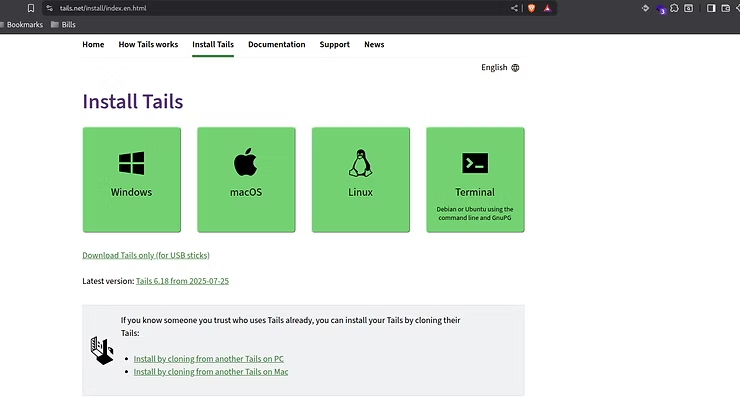
Step 1: Download Tails
- Go to the official site: https://tails.net
- Grab the latest .img or .iso.
- (Optional) Check the hash to be sure the file is clean.
Step 2: Create the bootable USB
You’ll need:
- A USB stick with at least 8 GB
- A working computer (Linux, Windows, or macOS)
On Windows, macOS, or Linux
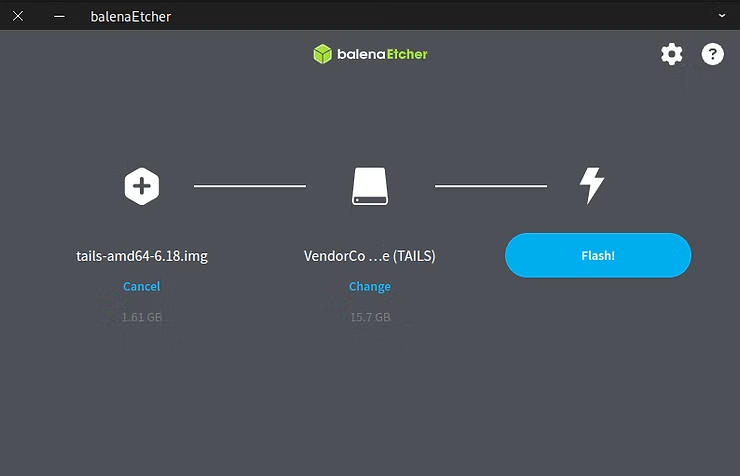
- Install Balena Etcher or Rufus (or any boot‑media tool you like).
- Plug in your USB stick.
- Select the Tails image, choose the stick, and flash it.
Step 3: Boot from the USB
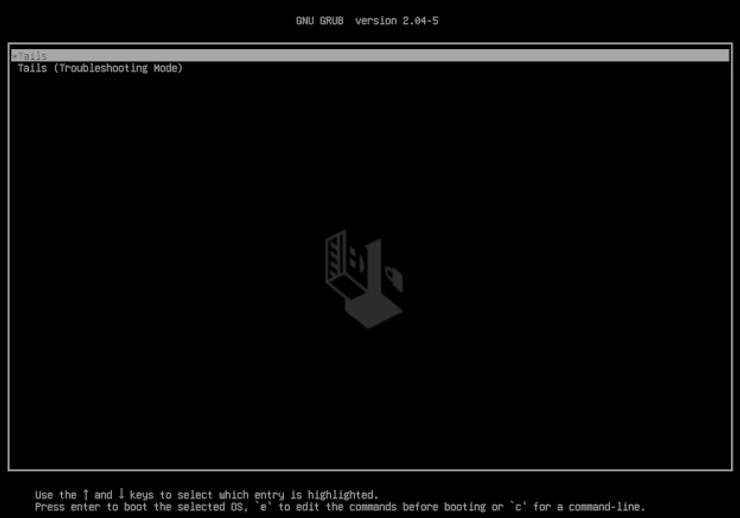
- Reboot with the stick inserted.
- Hit your boot menu key (F12, Esc, F2, Del, etc.).
- Pick the USB drive as the boot device.
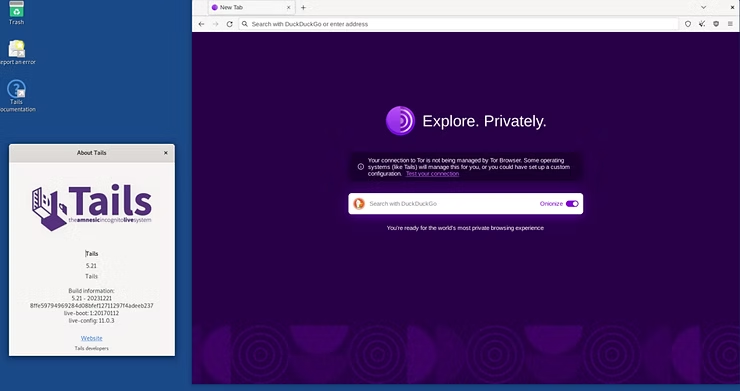
- Tails starts up.
Using Tails day‑to‑day
Once Tails is running:
- You land on a clean GNOME desktop.
- Open the Tor Browser for anonymous surfing.
- Built‑in tools include: Thunderbird + GPG (encrypted email), KeePassXC, OnionShare, LibreOffice, VLC, GIMP, and more.
Who’s Tails for?
- Journalists, activists, whistle‑blowers
- Travelers in high‑surveillance countries
- You, me, and anyone who wants to leave zero footprints
- Honestly, even for basic private searches, it’s a slick, fast plan B to have on hand.
Related Posts